Ultimate Guide to Premium Finishes for Roll Labels & Stickers
In this guide, we’ll walk you through the magic of digital spot varnish and digital gold and silver foiling. You’ll discover exactly how each finish transforms a label, the benefits they bring, and how to apply them to your roll labels for maximum impact. We’ll also share the technical know-how you need to set up your artwork correctly. Plus, we’ll show you how to combine both finishes to create labels that truly shine—giving your products the ultimate WOW factor.
Posted on Sept 12, 2025 by our Avery Print Technician
How to choose your premium finish
When creating your label in our configurator, make sure to select both a compatible material and a finish for premium options to appear. Premium finishes work best on a full-surface basecoat, so we first apply a matt or gloss protective varnish across the entire label. This basecoat makes sure your chosen premium finish not only looks amazing but also adheres perfectly. Below, you’ll find the step-by-step compatibility guide for each premium finish.
Digital Spot Glossy Varnish Labels Explained
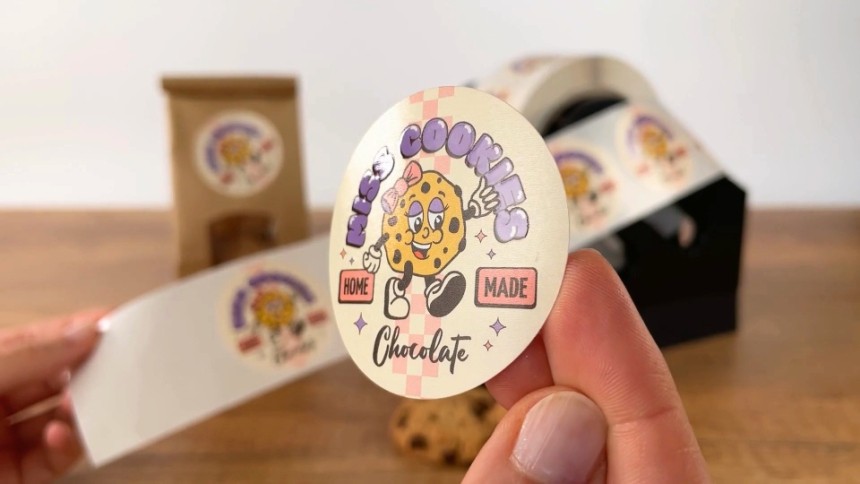
What is digital spot varnish for labels?
A clear, high-shine coating that’s applied only to specific areas of your design (rather than all over). This creates a beautiful contrast between glossy and matte textures—like highlighting certain parts of an image, logo, or text so they literally catch the light and draw the eye.
Digital spot varnish is a cost-effective alternative to conventional finishing, eliminating the need for expensive custom tools.
The effect you get is:
Luxurious & premium → makes your print feel more high-end.
Tactile & interactive → people can feel the raised glossy finish under their fingertips.
Attention-grabbing → it naturally pulls focus to key design elements like your brand name, icons, or graphics.
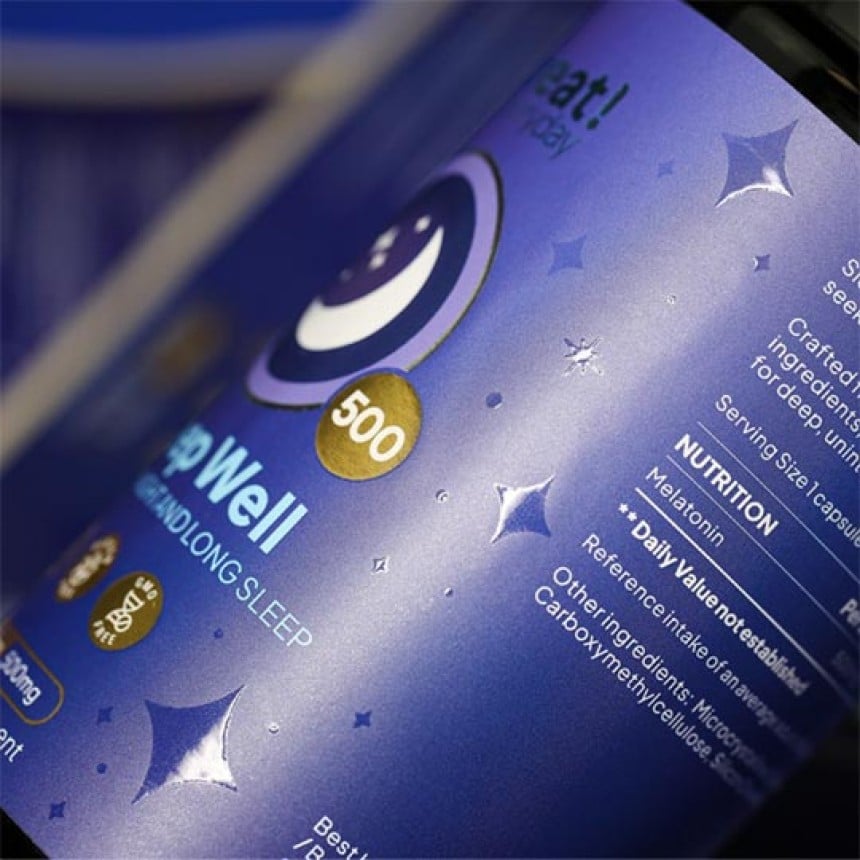
Steps to create spot varnish labels
Step 1. Choose your material & finish
This option is only available on roll labels. Select:
Matt Paper with a matt varnish finish, or
White, Clear, or Silver Plastic with either a matt varnish or matt lamination finish.
Step 2. Choose your premium finish
Digital Spot Glossy Varnish
Step 3. Upload your artwork
Simply upload your design and make sure it follows our artwork guidelines for the best results.
File settings:
We recommend using Adobe Illustrator, InDesign, etc.
- Format: PDF (1 file containing all layers)
- Colour mode: CMYK
- Bleed: 2 mm minimum
- Recommended resolution: 300 dpi
- Typography: outlined or embedded
Technical instructions:
- Create a spot colour named "Spotlack" for the spot varnish elements
- Enable overprint mode for this spot colour
- Minimum thickness of the elements you want to be spot varnished: 0.3 mm
- Space between elements: 0.7 mm minimum
- Safety margin: 0.2 mm minimum
- Create the label's cut line in a spot colour, with the name "Stanze"
Common mistakes to avoid:
❌ Avoid thin text (minimum 3 mm thick), overly detailed lines, or cut edges.
Note: The varnish may spread slightly. Our teams will adjust the layer to ensure a clean finish.
Digital Gold & Silver Foil Labels Explained

Benefits of gold and silver foil labels
Turn your product into a showstopper with gold or silver metallic foil applied to specific areas.
Eye-catching shine → The metallic finish reflects light beautifully, so your labels literally sparkle on the shelf.
Premium feel → Gold brings warmth and luxury (perfect for wines, cosmetics, artisan foods), while silver feels sleek, modern, and professional.
Design pop → Whether you foil just your logo, a border, or small design details, it creates contrast and makes those elements stand out instantly.
Versatility → Works brilliantly on bold colours for maximum shine or on subtle tones for a more elegant, understated shimmer.
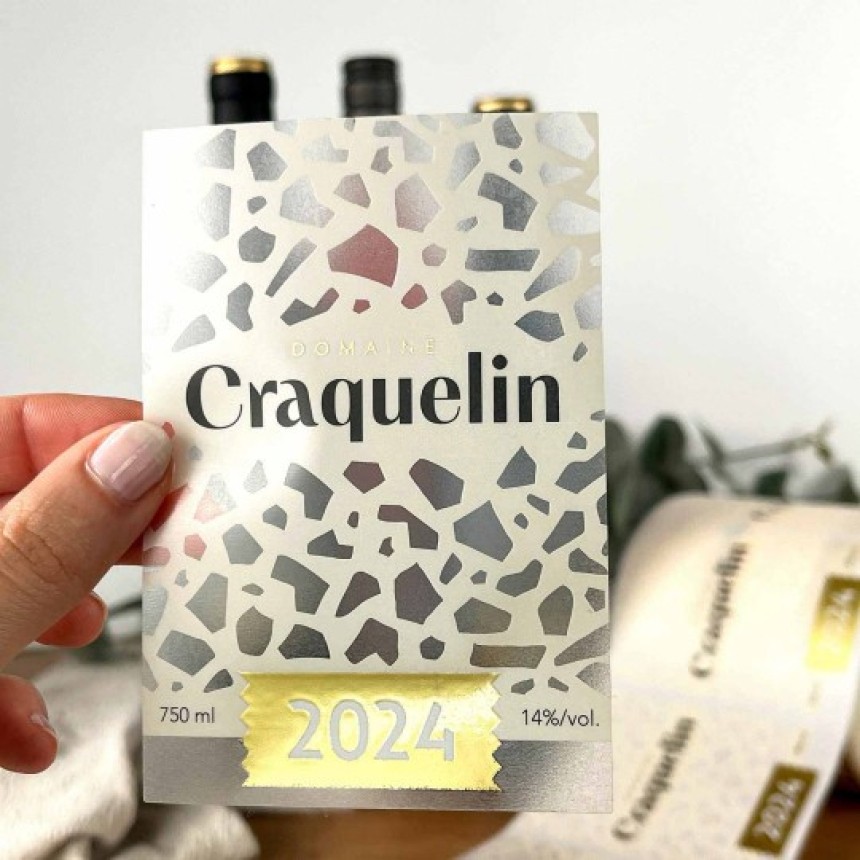
How to add gold or silver foil to labels
Step 1. Choose your material & finish
This option is only available on roll labels. Select:
Gloss Paper with a gloss varnish finish or
Matt Paper with a matt varnish finish, or
White, Clear, or Silver Plastic with either a matt varnish or matt lamination finish.
Step 2. Choose your premium finish
- Digital Gold Foil or
- Digital Silver Foil
Step 3. Upload your artwork
Simply upload your design and make sure it follows our artwork guidelines for the best results.
File Settings:
We recommend using Adobe Illustrator, InDesign, etc.
- Format: PDF (1 file containing all layers)
- Colour mode: CMYK
- Bleed: 2 mm minimum
- Recommended resolution: 300 dpi
- Typography: outlined or embedded
Technical instructions:
- Create a spot colour named "Folie" for either the silver or gold foil elements
- Enable overprint mode for this spot colour
- Minimum thickness of the elements you want to be digitally foiled: 0.3 mm
- Space between elements: 0.4 mm minimum
- Safety margin: 0.2 mm minimum
- Create the label's cut line in spot colour, with the name "Stanze"
Common mistakes to avoid:
❌ Avoid thin text (minimum 3 mm thick), overly detailed lines, or cropped edges
How to Combine Foil and Spot Varnish for Maximum Impact
Bring your labels to life with the perfect blend of foil and varnish. This premium combo layers metallic shine with glossy highlights for a truly standout look.

Step 1. Choose your material & finish
This option is only available on roll labels. Select:
Matt Paper with a matt varnish finish, or
White, Clear, or Silver Plastic with either a matt varnish or matt lamination finish.
Step 2. Choose your premium finish
Digital Gold Foil + Digital Spot Glossy Varnish, or
Digital Silver Foil + Digital Spot Glossy Varnish.
Step 3. Upload your artwork
Simply upload your design and make sure it follows our artwork guidelines for the best results.
The benefits
Luxurious & premium → instantly elevates your packaging.
Tactile & interactive → raised glossy textures you can feel.
Attention-grabbing → highlights details like your logo and text.
File Settings:
We recommend using Adobe Illustrator, InDesign, etc.
- Format: PDF (1 file containing all layers)
- Colour mode: CMYK
- Bleed: 2 mm minimum
- Recommended resolution: 300 dpi
- Typography: outlined or embedded
Technical instructions:
- Create a spot colour named "Spotlack" for the spot varnish elements
- Create a spot colour named "Folie" for the foil elements
- Enable overprint mode for these spot colours
- Minimum thickness of the elements you want to be digitally foiled: 0.3 mm
- Space between elements: 0.7 mm for the spot varnish / 0.4 mm for the foiling
- Safety margin: 0.2 mm minimum
- Create the label's cut line in spot colour, with the name "Stanze"
Common mistakes to avoid:
❌ Avoid thin text (minimum 3 mm thick), overly detailed lines, or cropped edges.
Important questions answered
It's important to note that premium finishes only adhere well to a full-surface basecoat. This means we need to apply a matt or gloss protective varnish to the entire label as a basecoat before adding the partial premium finish.
This option is only available on the following roll label materials:
Matt Paper with a matt varnish finish, or
White, Clear, or Silver Plastic with either a matt varnish or matt lamination finish.
This option is only available on the following roll label materials:
Gloss Paper with a gloss varnish finish or
Matt Paper with a matt varnish finish, or
White, Clear, or Silver Plastic with either a matt varnish or matt lamination finish.
About the author
Our Avery Print Technician brings expert know-how in labels, stickers, and printing. From pro tips to troubleshooting advice, they’re here to help you get flawless results with your Avery labels — whether you’re a business owner, crafter, or just love things neat and professional.