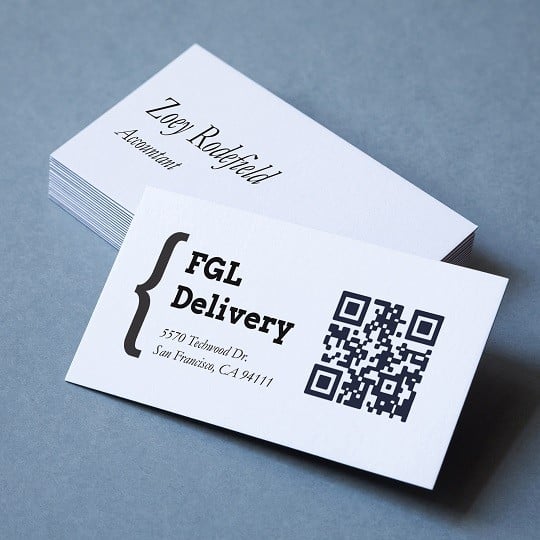
Design QR code business cards your way. Customise the look, generate your code and order professional printed cards. See details
QR Code Business Cards: Design, Customise and Order Online
Design QR code business cards your way. Customise the look, generate your code and order professional printed cards. See details
Customisation options for your QR code card
- Size and orientation: pick from standard 85 x 55 mm or slim 90 x 50 mm card sizes in both landscape and portrait layouts
- 5 materials: Standard, Premium, Kraft, Plastic & Recycled
- Printing: Single or double-sided 4 colour printing
- Your logo: upload your own logo to keep branding consistent across everything you share
- Fonts, colours and layout: combine fonts, colours and a layout that reflects how you want to be seen
- Add QR codes: Watch how to create a QR code in a minute
- Your details: add personalised business card information such as your name, job title, phone, email and social handles
Product Support
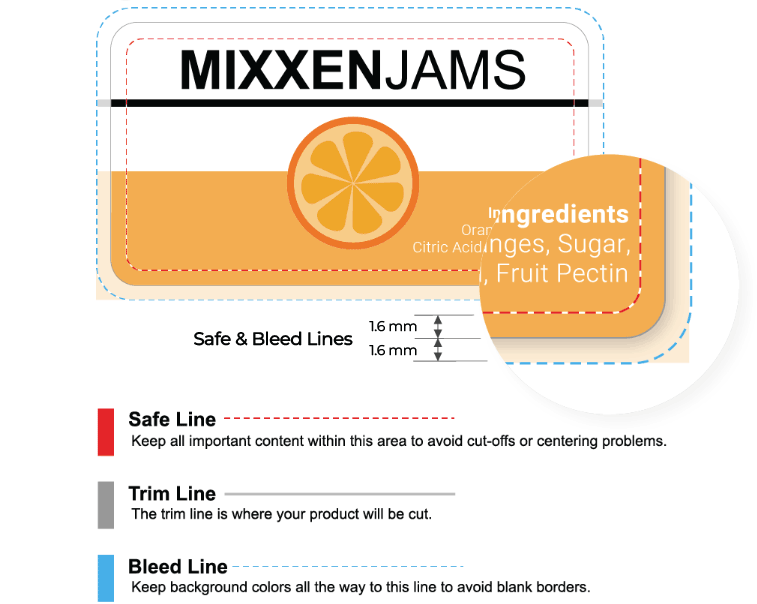
Design File Guidelines
- File format: pdf, jpg, png, psd, eps, ai, tiff
- Resolution: minimum 300dpi resolution at print size
- Text size: 6 point size or greater
- Line thickness: 0.5 point or greater
- Bleed: 1.6 mm all around the design
- Colour mode: CMYK (recommended), RGB
- Background: transparent for kraft card stock
Design & Print
Click the "Start designing or upload" button to create designs using our free Design & Print editor or upload your finished artwork.
- Free Templates – Browse a library of pre-designed templates
- Images – Browse our free image library, upload your own, or remove backgrounds with a single click
- Mail & Data Merge – Easily import contacts or data with our mail merge feature for simple variable data printing
- QR codes & barcodes – Generate QR codes, barcodes, serial numbers, batch codes, and sequential numbering
- Cloud-based – Design on any device, save to the cloud, and access your projects anywhere
File Layout
Order online
- Configure your business cards – Choose from a range of materials to suit your exact needs.
- Artwork check – Catch mistakes before they reach print with our automated artwork check — just £4.99 per order line, saving you time and money.
- Custom quantity – Order precisely what you need using our flexible quantity field — no minimums, no waste.
- Clear, tiered pricing – Instantly compare costs across quantities and take advantage of built-in volume discounts.
We're here to help!
- Email: [email protected]
- Phone 0800 80 50 20
- Lines are open 9am to 5pm Monday to Friday
Delivery Options
| Method | Price (incl. VAT) | Delivery time |
|---|---|---|
| Standard | £5.99 FREE over £55 | 8-10 working days |
| Access Points | £4.99 FREE over £55 Collect at a convenient point | 8-10 working days |
How the QR code business card configurator works
Creating your card takes three simple stages: design, generate and order. Start in the business card maker, where you choose a layout, upload your logo, and set your colours and fonts. There are free design templates built into the tool, so you have a professional starting point even if you are not a designer.
Next, the built-in QR code generator lets you create your code without any third-party app. Add your chosen web address and the tool produces a scannable code ready to drop onto your card. Preview your scannable business card on screen, check every detail, then submit it for print. Avery prints your cards using our professional printing service and delivers them direct to your door, so there is nothing to set up at home.
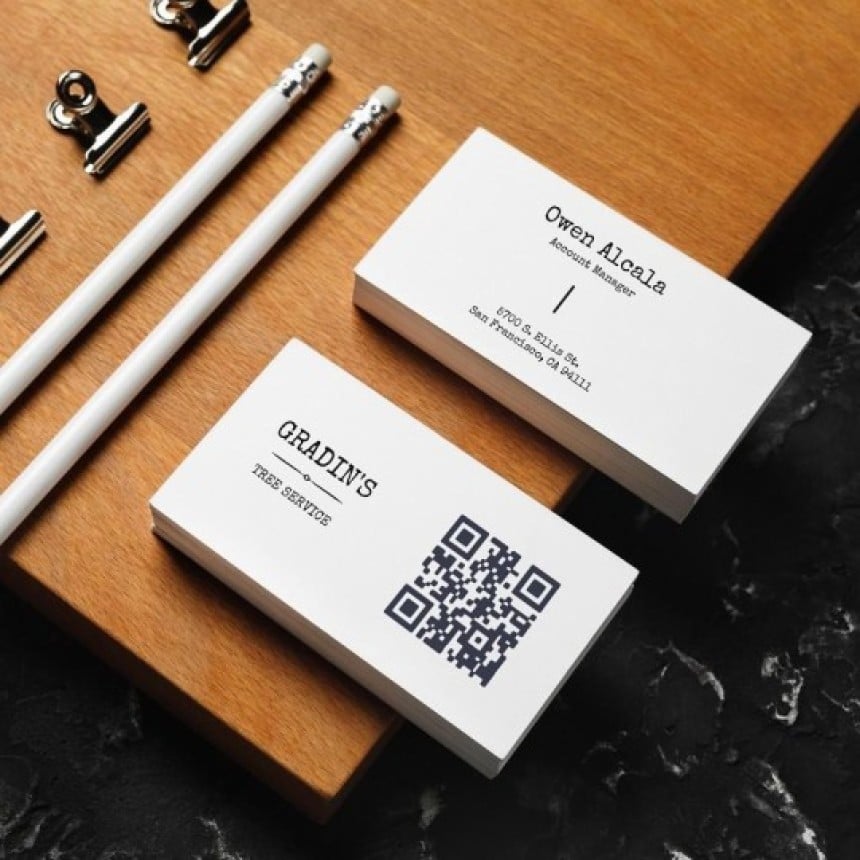
What to link your QR code to
Your QR code can point almost anywhere, so the trick is choosing a destination that gives a strong first impression. A good link turns a quick scan into a real connection and makes the card work harder than a printed number ever could. Here are popular options:
- Your website or landing page, for an instant introduction to what you do.
- A vCard or digital business card, so recipients can save your contact details QR code-style straight to their phone.
- Your LinkedIn profile, handy for professional networking with QR codes.
- A portfolio, showreel or case study page, which is ideal for creatives and freelancers.
- An online booking page or enquiry form, to drive a direct next step.
One practical advantage is worth knowing. If you link to a dynamic destination, you can update where the code points without reprinting your cards. That flexibility is something a traditional printed card simply cannot offer.
How to create a QR code for a business card
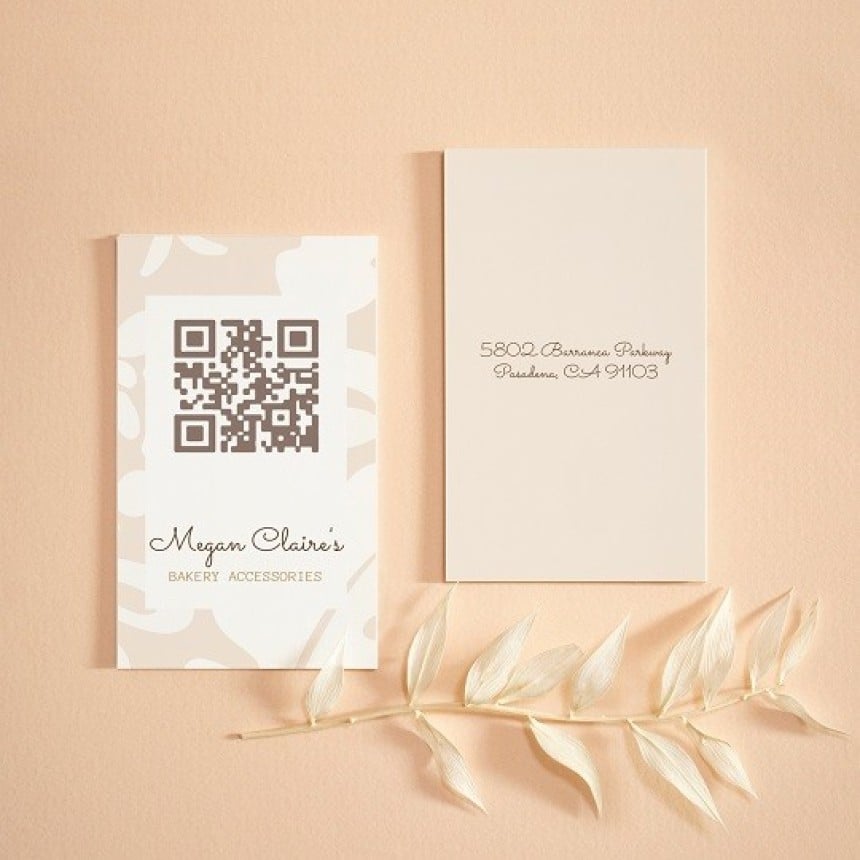
Benefits of adding a QR code to your business card
A QR code gives a familiar card a modern, useful upgrade. Here is why so many people add one:
- Instant sharing: recipients scan and connect in seconds, with no typing.
- Always current: point the code at a dynamic destination and your contact information stays up to date.
- Trackable: scan data shows how often people engage with your card.
- Standout impression: a scannable card feels current and professional next to standard printed cards.
- Physical meets digital: one card bridges the gap, doing the job of both.
- Suits everyone: freelancers, small business owners, creatives, tradespeople and corporate teams all benefit. Your finished cards arrive fast, delivered direct to your door.
QR code business card best practices
QR Code Scanning Best Practices
A few simple habits make the difference between a code that scans first time and one that frustrates people.
Size and Testing
Size comes first: keep the QR code at least 2.5cm x 2.5cm on the card so phones read it reliably.
Before placing a print order, scannability should be tested by scanning from a few different devices and distances.
Design and Layout
Design clarity matters just as much. The area around the code should be kept uncluttered, because a crowded layout makes scanning harder.
A high-contrast QR code colour should be chosen against the card background.
Destination and Call to Action
A short, clean destination URL or a dedicated landing page should be used rather than a long string, which keeps the code simpler and more reliable.
A short prompt such as “Scan to connect” should be added near the code so the next step is clear.
Paper stock and print quality for QR code cards
Card thickness makes a real difference: a heavier stock feels considered and holds up to repeated handling. High print resolution keeps your QR code modules sharp, which matters because poor resolution is a leading cause of scan failure.
Avery UK has spent decades perfecting print quality, and every custom printed business card order is produced to a professional standard using premium materials that reflect well on your brand.
Frequently asked questions
Yes, a QR code on a business card is a good idea for most people, because it lets someone open your website, save your details or view your work with a single scan. It bridges your printed card and your digital presence, which suits networking, sales and creative work. The main thing is to link to something genuinely useful and to test the code before printing.
The most common mistakes are making the QR code too small, using low contrast between the code and the background, and not testing it before ordering. Overcrowding the design around the code and linking to a long or messy URL also reduce reliability. Keeping the code clear, high-contrast and pointed at a clean destination avoids nearly all of these issues.
QR stands for "quick response", and the format can store website links, contact details, text and more. A dynamic QR code can be updated to point somewhere new without changing the printed code itself, while a static code is fixed once created. Most modern smartphones scan QR codes straight from the camera app, with no separate app needed.
Common problems include codes that are too small to scan, low contrast that confuses the camera, and broken or expired destination links. Damage, heavy glare on a glossy surface, or a cluttered surrounding design can also stop a code working. Printing at a sensible size, using high contrast and testing on several devices before ordering prevents most of these.